
Created for Driver's by Driver's
How to get The Drivers Advocate App
This is a web app. It is not in the App Store or on Google Play. Open it once on your phone, then put it on your Home Screen. After that, it opens like any other app. Go to app.tdaau.com or scan the QR code.

Scan with your camera
app.tdaau.com
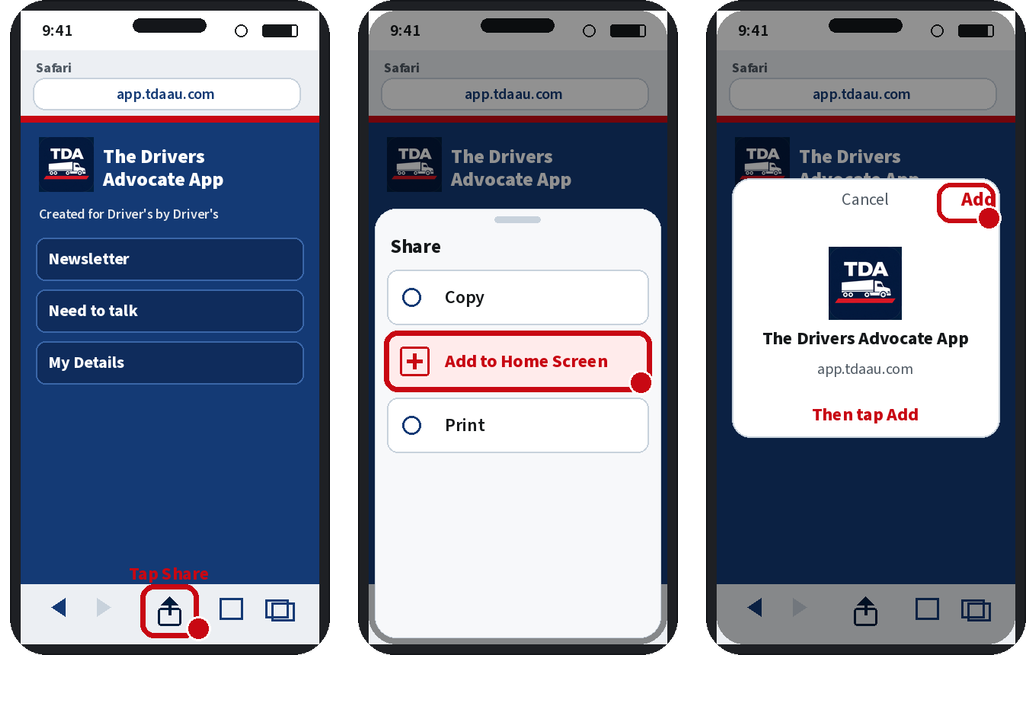
On an iPhone
- Open Safari and go to app.tdaau.com.
- Tap Share — the square with the arrow pointing up, at the bottom of the screen.
- Tap Add to Home Screen.
- Tap Add.
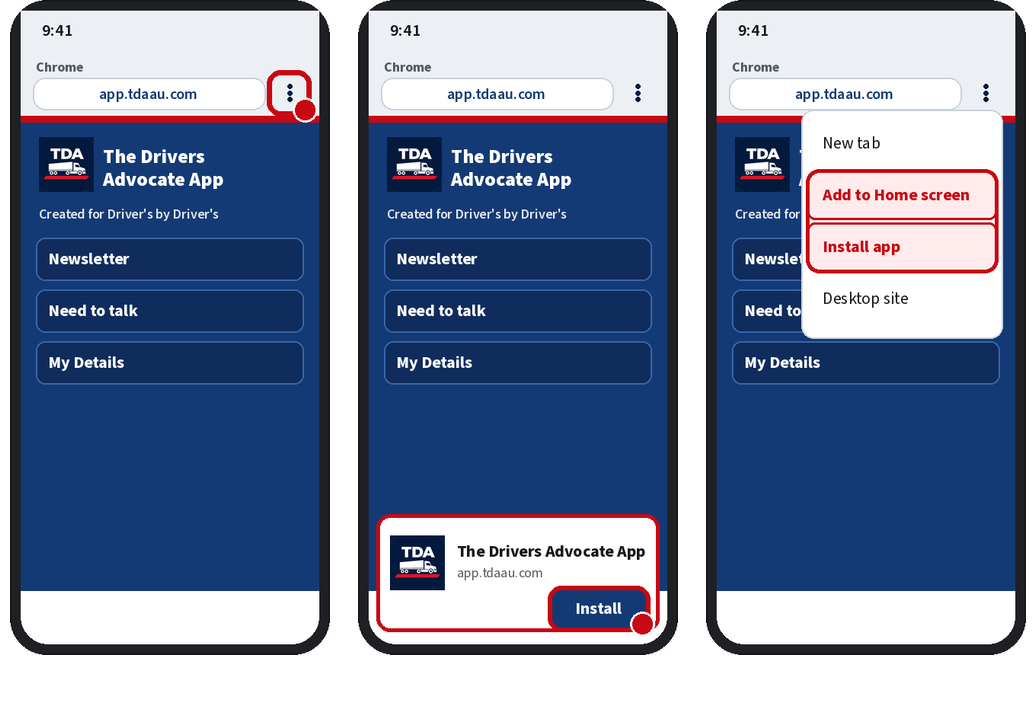
On an Android
- Open Chrome and go to app.tdaau.com.
- If a box says Install app, tap Install.
- If not, tap the three-dot menu at the top right.
- Tap Add to Home screen or Install app.
What it does
- Reminders for your licence, medical, DG licence and inductions — kept on your phone
- Heads-up notices, like double demerits
- Need to talk support links, if you need a hand
- The newsletter and the latest podcast
- Our Facebook groups, in one place
- Events coming up
It updates itself, nothing to doNo app store. No extra downloads later.
Need help? Call the podcast line 0435 309 852Happy to talk you through it.